DVSwitch Mobile Setup Guide
Steps to Get Started
- Download and install the DVSwitch Mobile app from your google app store.
- Open the app and go to Settings.
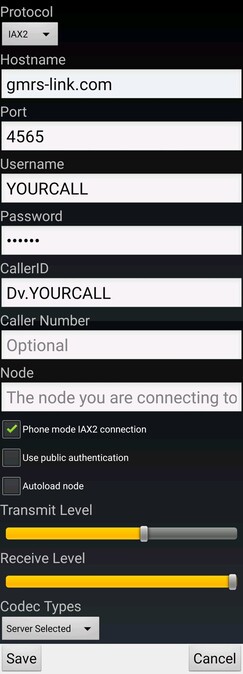
- Enter your Hostname, Port, Username, and Password provided by the system admin.
- Tap Save and then Connect.
- Now you are ready to use DVSwitch Mobile
Helpful Tips
For the best audio quality, use a stable Wi-Fi or 4G/5G connection.
Set Transmit Level Slider to about 60%